
Timed to your event
Reminder times are calculated from the event's start and end time in your organisation's timezone. If you reschedule, skipped steps are re-armed automatically.
- Timezone aware
- Reschedule friendly
- Visible due time for every step
Automated reminders
Turn it on once. Every reminder goes out on time.
Reminders are the easiest way to raise attendance. Choose which steps you want for an event and Eventovalley sends each one at the right moment in your timezone. Guests who already received a step never get it twice, even if the server restarts mid-send.
Why it matters
2 days, 1 day, 4 hours, 1 hour and 10 minutes before, go-live and after the event.
Switch steps on or off for each event and edit the text of any step for that event only.
Trigger any step manually, for example a last-minute venue change.
Each guest receives each step at most once, so late registrations and restarts are safe.
Steps that became due while automation was off are skipped rather than sent late.
On supported plans, the same moments can also trigger automatic WhatsApp messages.
How it works
In the event, open the Automation tab.
Switch on the reminders you want and edit their text if needed.
Each step goes out on schedule with live progress and sent/failed counts.
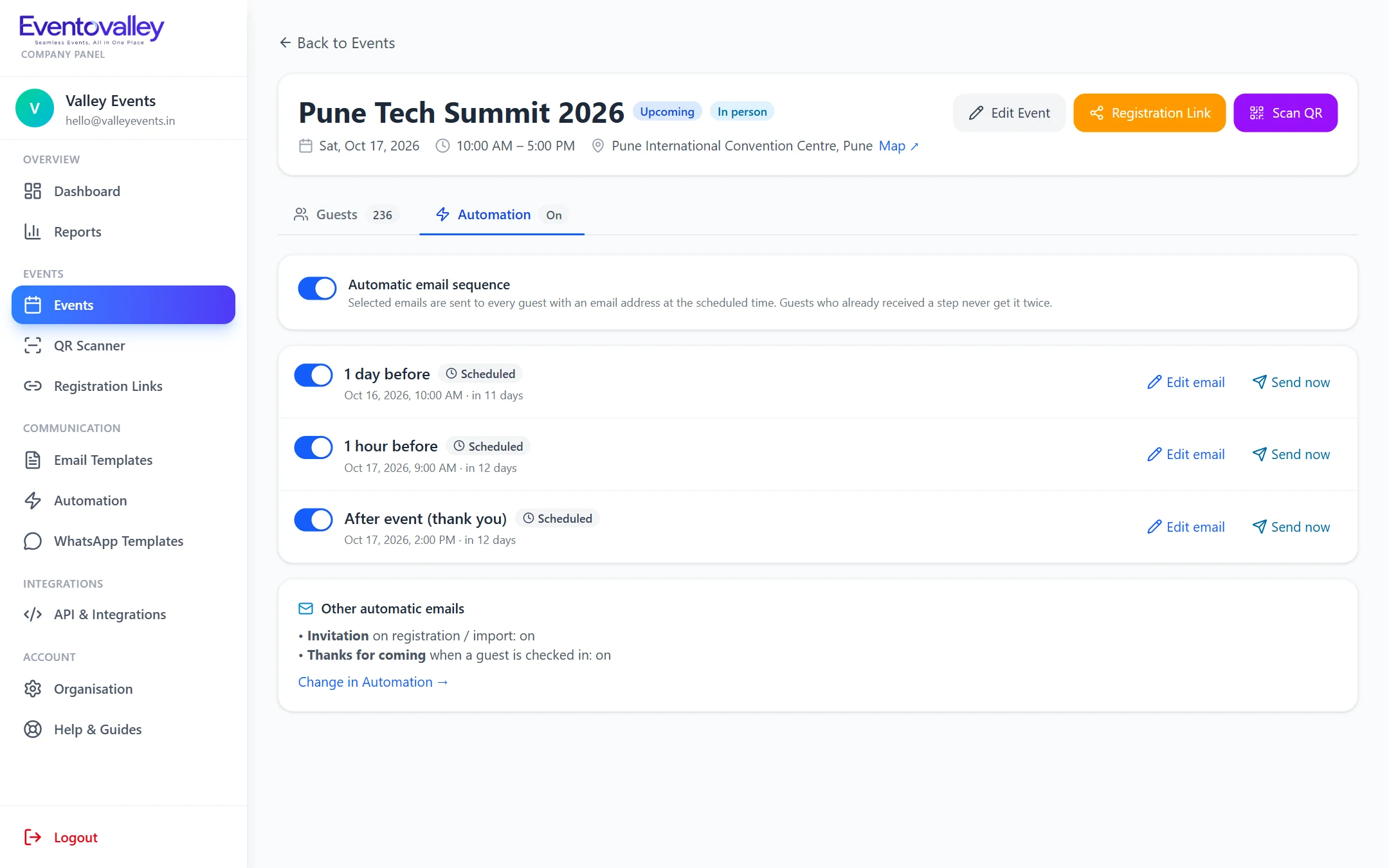
Reminder times are calculated from the event's start and end time in your organisation's timezone. If you reschedule, skipped steps are re-armed automatically.
FAQ
You choose from 2 days, 1 day, 4 hours, 1 hour and 10 minutes before the start, a go-live email at the start and a thank-you after the event ends.
Yes. Every guest receives the steps that are still ahead of them, and nobody receives the same step twice.
Yes. Each step can be edited for a single event without changing your organisation's templates.
Send branded event invitations with each guest's QR code built in. Editable templates, personal placeholders, live preview and background bulk sending with progress.
Learn moreShare QR entry passes and reminders on WhatsApp. Ready-made message templates, one-click sending to guests and automatic WhatsApp messages on supported plans.
Learn moreRun online and hybrid events with personal join links that record attendance automatically, then open the meeting. Works with Zoom, Google Meet, Microsoft Teams and more.
Learn moreSeamless Events, All in One Place
Create your account, add your first event and start sending QR passes in minutes.