
Looks right in every inbox
Emails use a clean responsive layout with a plain-text version, so they render well in Gmail, Outlook and on mobile.
- Responsive HTML email
- Plain-text alternative
- Reply-to set to your organisation
Branded email invitations
Professional invitations that carry the entry pass.
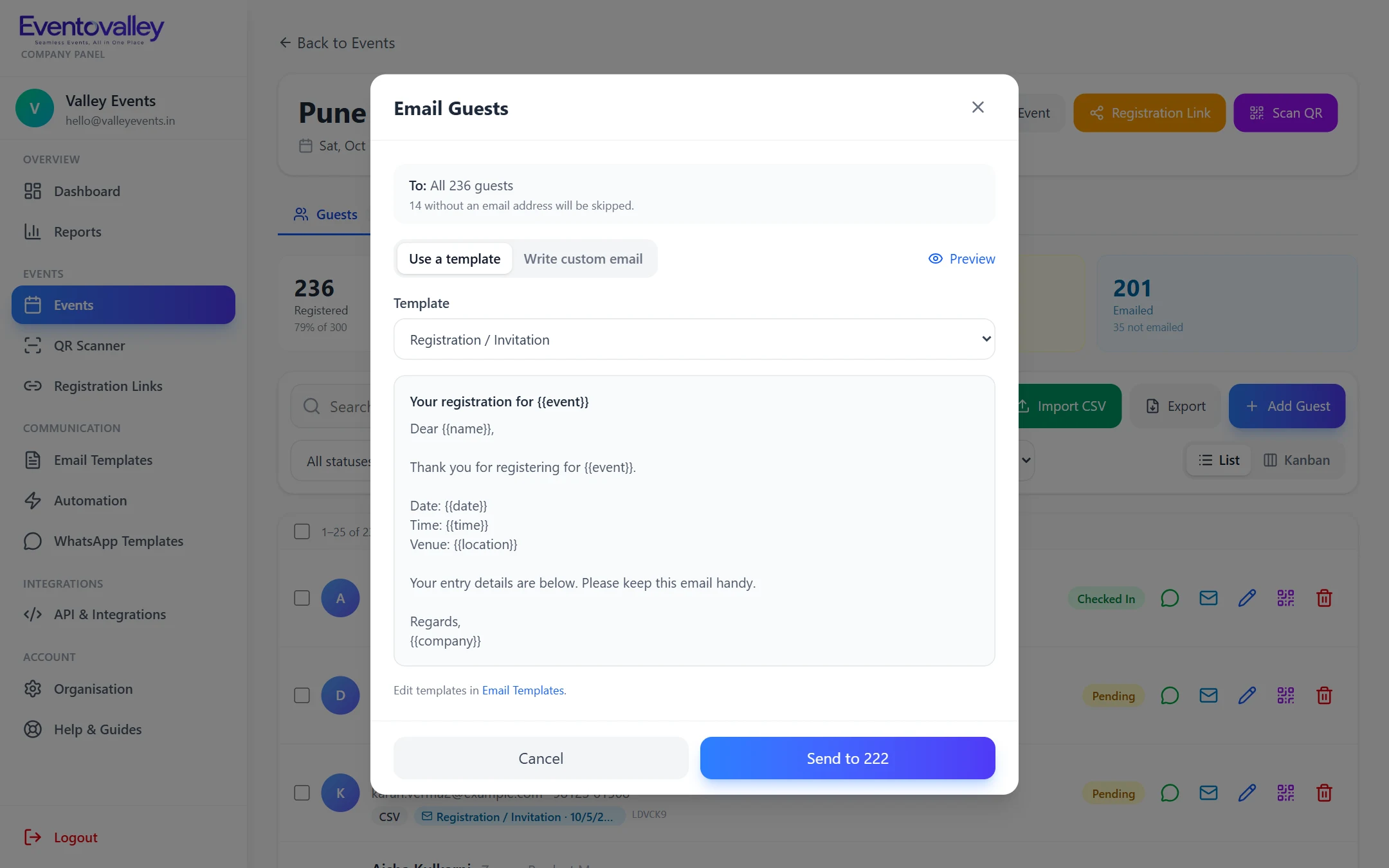
Each invitation is personalised for the guest and includes their QR entry pass, the date, time and venue, a Google Maps button for in-person events and a join button for online events. Write once with placeholders and Eventovalley fills in the details for every guest.
Why it matters
The guest's QR code and manual check-in code are embedded, so the email itself is the ticket.
Customise the invitation, reminders and thank-you messages, with defaults for every organisation.
Use {{name}}, {{event}}, {{date}}, {{time}}, {{location}} and more to personalise every message.
Email everyone or a selection. Sending runs in the background with a live progress bar and retries.
Send from your organisation's address using Gmail, Outlook, Zoho, ZeptoMail, Brevo or any SMTP server.
Each guest's email history shows what was sent and any failures.
How it works
Start from the invitation template or write a custom message.
See exactly how the email looks for a real guest before sending.
Send to everyone, to guests not yet emailed, or to a selection.
Emails use a clean responsive layout with a plain-text version, so they render well in Gmail, Outlook and on mobile.
FAQ
Yes. Connect your SMTP account (for example Gmail, Outlook, Zoho, ZeptoMail or Brevo) and invitations are sent from your address with your name.
Yes. For in-person events the guest's QR code and check-in code are embedded in the email.
Yes. Placeholders such as {{name}}, {{date}} and {{location}} are replaced with each guest's details.
Schedule event reminders 2 days, 1 day, 4 hours, 1 hour and 10 minutes before, a "we're live" email and an after-event thank-you. Every guest gets each reminder once.
Learn moreSend event emails from your own address using any SMTP provider, with a different sender per event if you need it. Quick setup presets for popular providers.
Learn moreShare QR entry passes and reminders on WhatsApp. Ready-made message templates, one-click sending to guests and automatic WhatsApp messages on supported plans.
Learn moreSeamless Events, All in One Place
Create your account, add your first event and start sending QR passes in minutes.