
Skip to content

QR code check-in

QR Code Event Check-in App

Fast, contactless entry with the phones your team already has.

Every guest receives a unique QR entry pass. At the venue your staff open the scanner in a browser on any phone, tablet or laptop and point the camera at the pass. The guest is checked in instantly, duplicate scans are flagged straight away, and the dashboard updates live for everyone on the team.

Why it matters

Why teams use QR code check-in in Eventovalley

No special hardware

The scanner runs in the browser. Any phone or laptop with a camera works, so you can add more entry lanes in seconds.

Duplicate scans flagged

If a pass is scanned twice, staff see who it belongs to and when they were checked in, so passes cannot be shared.

Manual code as backup

Cracked screen or low brightness? Type the 6-character check-in code printed under the QR code instead.

Live numbers

Checked-in and pending counts update for every scanner and on the dashboard while doors are open.

Continuous scanning

Keep the camera open and scan guest after guest without tapping anything in between.

Thank-you on arrival

Optionally send a "thanks for coming" email or WhatsApp message the moment a guest is checked in.

How it works

Up and running in minutes

  1. 1

    Guests get their QR pass

    The pass is sent in the confirmation email and is available on the guest's personal pass page.

  2. 2

    Open the scanner

    Pick the event in QR Scanner on any device with a camera. No app install is needed.

  3. 3

    Scan at the door

    Point the camera at the pass. The guest is checked in and the screen confirms their name.

  4. 4

    Watch attendance live

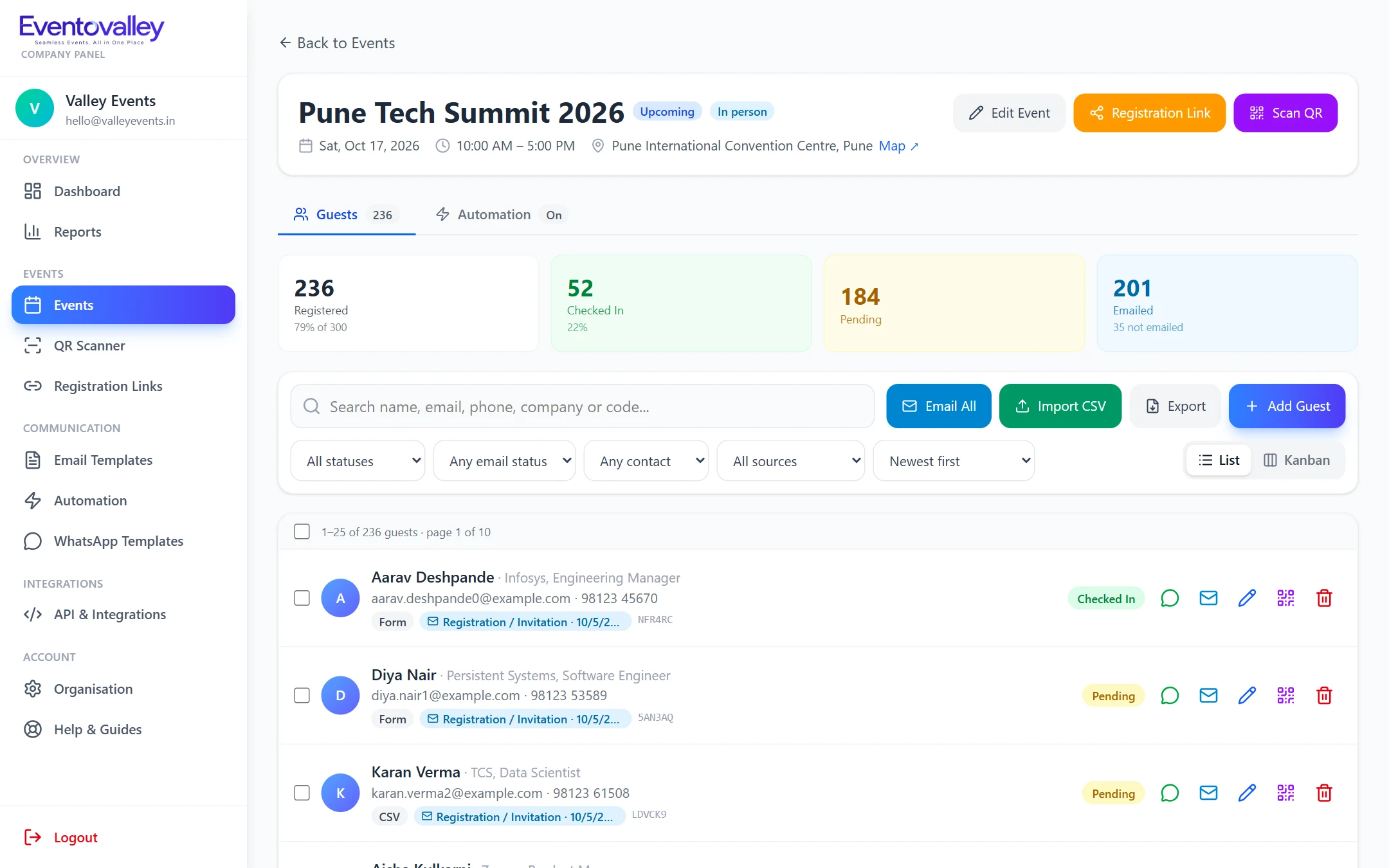
    Follow check-ins on the dashboard and reports, and export the attendance list after the event.

Event overview with live check-in numbers

Built for busy entrances

Check-in should never be the queue people remember. The scanner reads a code in well under a second and keeps the camera running between guests.

  • Works on Android and iPhone browsers
  • Front or back camera
  • Clear success, duplicate and not-found screens
  • Several staff can scan the same event at once

Every pass is unique and verifiable

Each guest gets their own code tied to one event. A pass for another event, or a code that does not exist, is rejected with a clear message.

  • Unique 6-character code per guest
  • Pass page and printable QR card (PDF)
  • Shareable link that shows the QR code in WhatsApp previews

FAQ

Questions about QR code check-in

Do I need to buy a QR scanner for my event?

No. Eventovalley's scanner runs in the web browser of any phone, tablet or laptop with a camera. Open QR Scanner, choose the event and start scanning.

What happens if a guest's QR code is scanned twice?

The second scan is flagged as already checked in, together with the guest's name and the time of the first check-in, so a pass cannot be used by two people.

Can I check in guests without a QR code?

Yes. Staff can type the guest's 6-character check-in code, or mark a guest as checked in from the guest list.

Does QR check-in work offline?

The scanner needs an internet connection to confirm each pass and prevent duplicates across multiple devices.

Seamless Events, All in One Place

Start using QR code check-in today.

Create your account, add your first event and start sending QR passes in minutes.