
Skip to content

Guest management

Event Guest List Management Software

One organised guest list for every event.

All registrations land in one guest list per event, however they arrive: added by hand, imported from a spreadsheet, registered through your public link or pushed from your website by API. Find anyone in seconds and act on one guest or thousands at once.

Why it matters

Why teams use Guest management in Eventovalley

Powerful filters

Filter by checked in or pending, emailed or not, missing email or phone, and where the guest came from.

Bulk actions

Select guests across pages and check them in, email them, message them on WhatsApp, export or delete them together.

Clean contact data

Phone numbers are normalised with your default country code and invalid numbers are highlighted.

Full history

See which emails each guest received, when, and whether they were delivered.

List or kanban

Switch between a detailed list and a visual pipeline from not emailed to checked in.

Duplicate protection

The same email cannot register twice for an event, and API imports are de-duplicated automatically.

How it works

Up and running in minutes

  1. 1

    Create an event

    Add the date, time, venue or meeting link and capacity.

  2. 2

    Add guests

    Add them by hand, import a CSV, share the registration link or connect your website.

  3. 3

    Filter and act

    Use filters and bulk actions to invite, remind, check in or export exactly the guests you need.

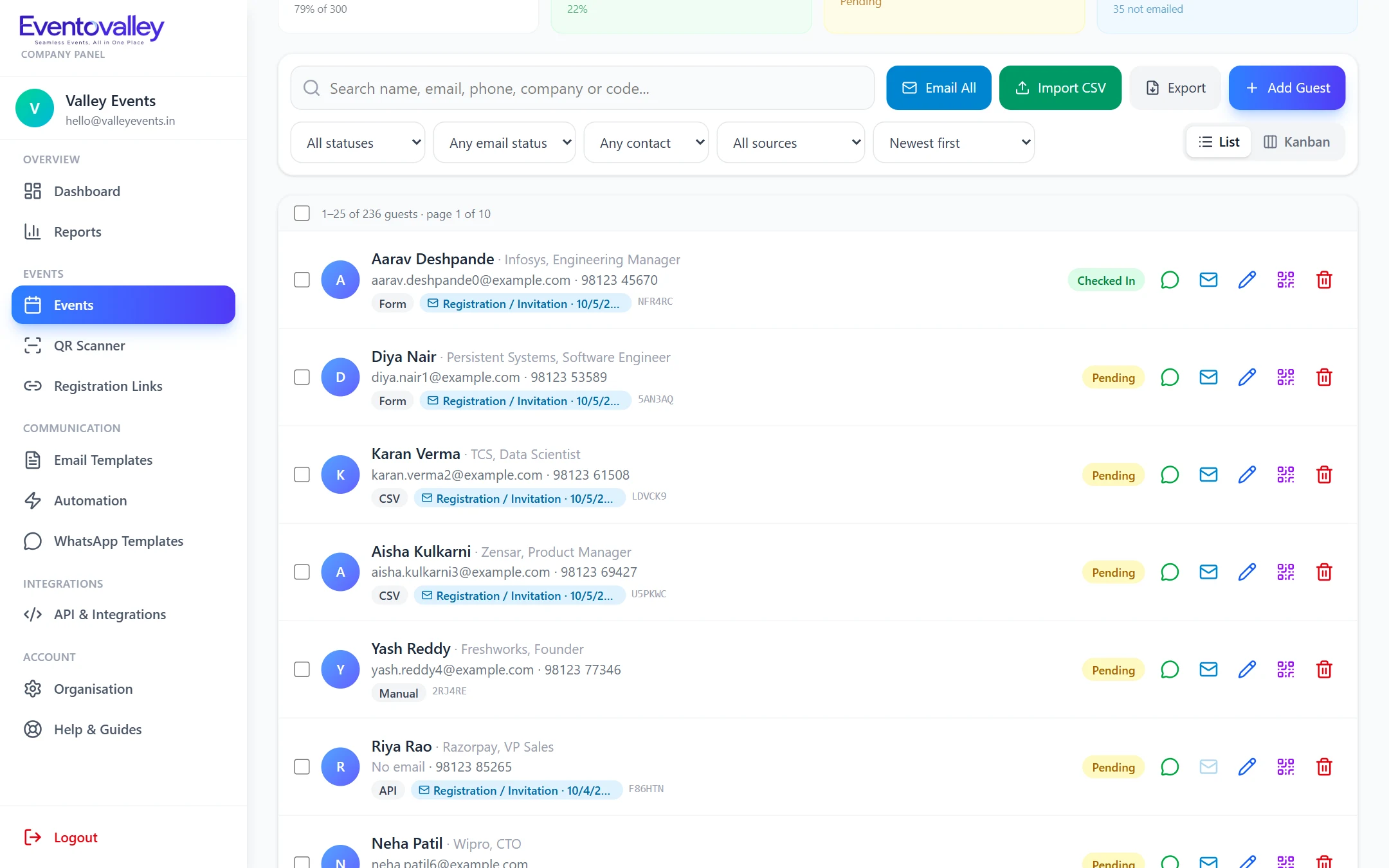
Guest list with filters, status badges and bulk actions

Find anyone in seconds

Search by name, email, phone or check-in code, sort by newest, name or recent check-ins, and page through large lists without slowing down.

  • Search across name, email, phone and code
  • Sort by date added, name or check-in time
  • Adjustable page size for large events

Know where every guest stands

Status badges show the source, the last email sent and whether the guest has checked in, so follow-ups are obvious.

  • Source: manual, CSV, registration form or API
  • Last email and delivery status
  • Checked-in time and method (QR scan, manual or online join)

FAQ

Questions about Guest management

How many guests can I manage per event?

The guest list is built for large events with thousands of guests. The limit for your account depends on your plan.

Can I edit a guest after they register?

Yes. You can edit name, email, phone and additional details, resend their pass, or delete them at any time.

Can I see who has not received an invitation yet?

Yes. Filter by "not emailed" to find guests who have not been invited and email them in one bulk action.

Seamless Events, All in One Place

Start using Guest management today.

Create your account, add your first event and start sending QR passes in minutes.